1Tick the orders. Export.
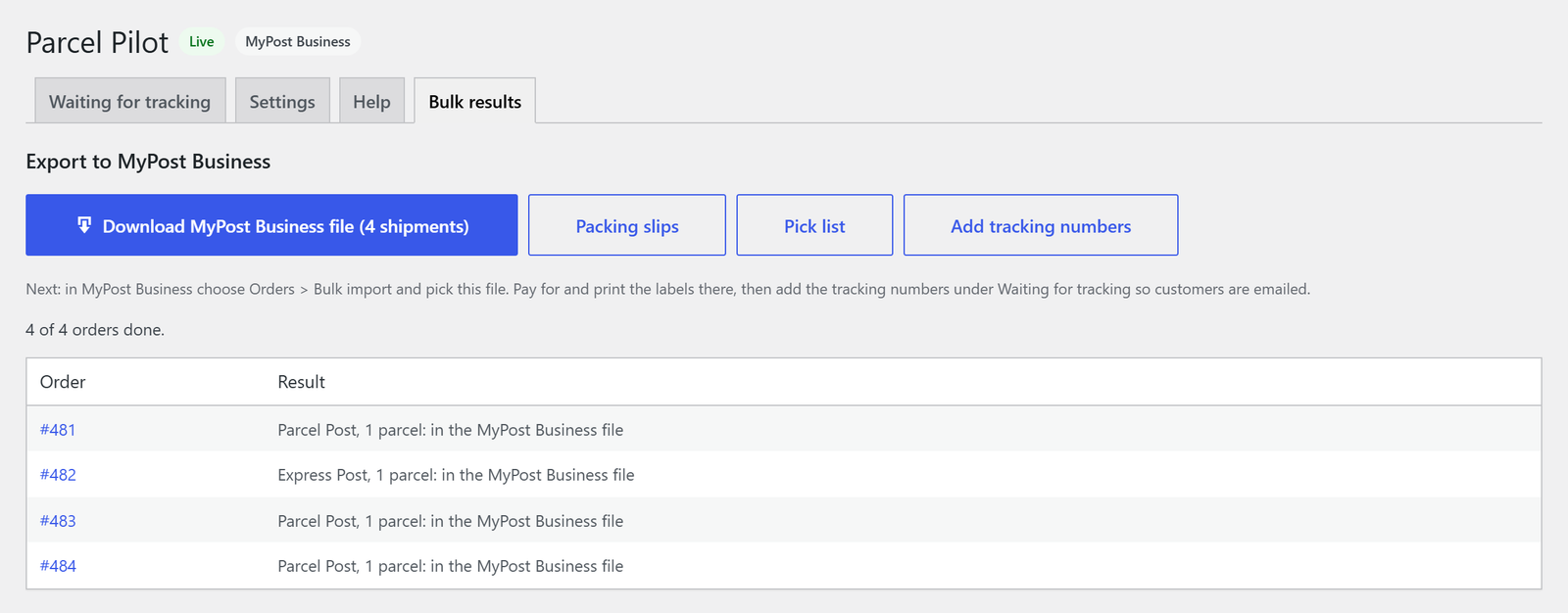
On the Orders list, tick the day's orders and choose "Parcel Pilot: export to MyPost Business". The service, box and weight are already worked out, so you download one file for the lot.
Parcel Pilot turns your WooCommerce orders into Australia Post's own MyPost Business import file, then brings the tracking numbers back and emails your customers for you.
No retyping. No extra shipping account. You keep your own MyPost Business account and pay Australia Post for each label, just like you do now.
No keys, no extra accounts. MyPost Business is free from Australia Post; you just need a card saved in it.
On the Orders list, tick the day's orders and choose "Parcel Pilot: export to MyPost Business". The service, box and weight are already worked out, so you download one file for the lot.
In MyPost Business, choose Orders, then Bulk import, and pick the file. Every row is already in Australia Post's import format, with "Order 481" printed on the label so parcels are easy to match.
| Additional Label Information 1 | Deliver To Name | Deliver To Suburb | Deliver To State | Deliver To Postcode | Item Delivery Service | Item Weight | |
|---|---|---|---|---|---|---|---|
| 2 | Order 481 | Liam Nguyen | Carlton | VIC | 3053 | PP | 2.1 |
| 3 | Order 482 | Charlotte Wilson | Fremantle | WA | 6160 | EXP | 1.3 |
| 4 | Order 483 | Noah Thompson | Battery Point | TAS | 7004 | PP | 1 |
| 5 | Order 484 | Mia Patel | Newtown | NSW | 2042 | PP | 1.4 |
Copy the tracking numbers from MyPost Business into Waiting for tracking and save, one at a time or a whole day's at once. Customers get their tracking link by email and the orders complete.
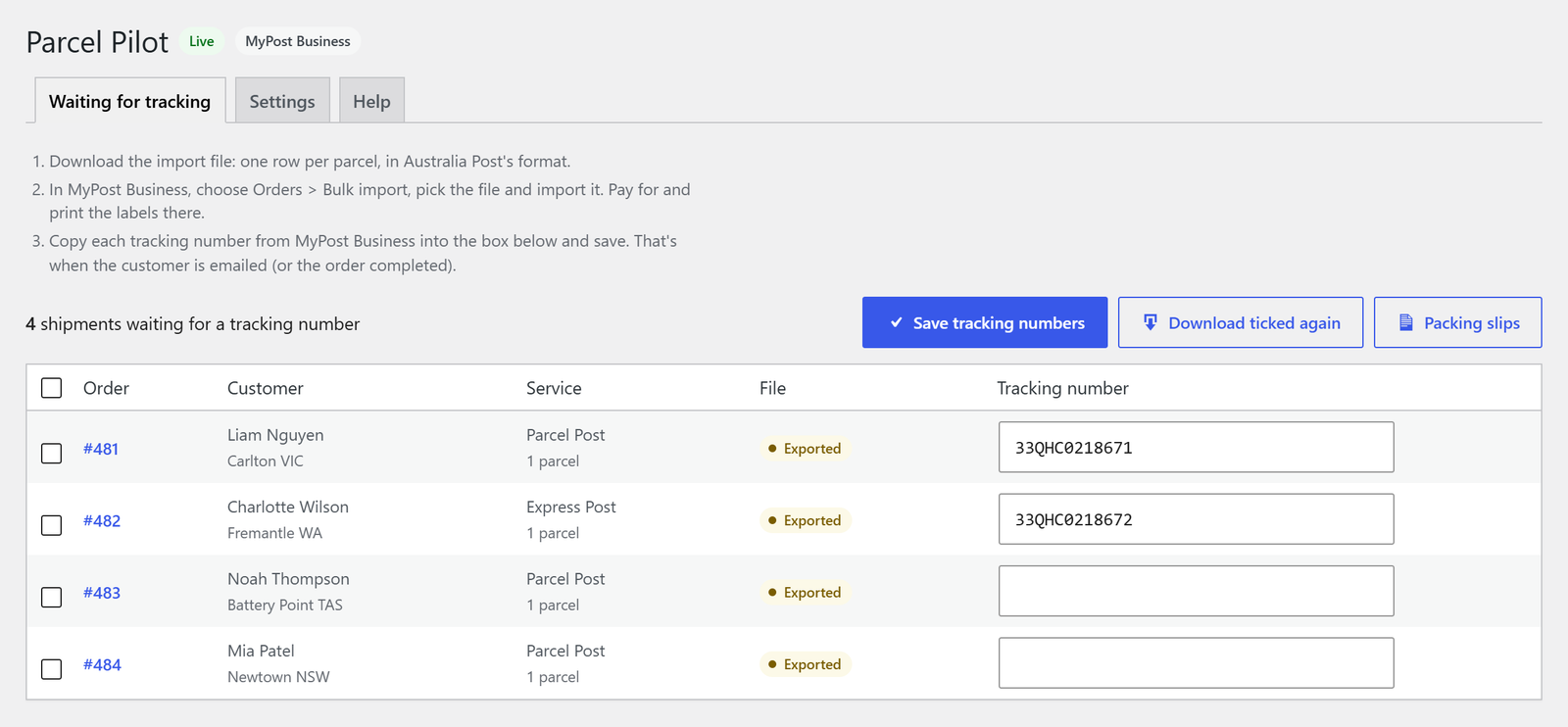
Partial orders, odd boxes, Express Post on the one that's running late. It's handled.
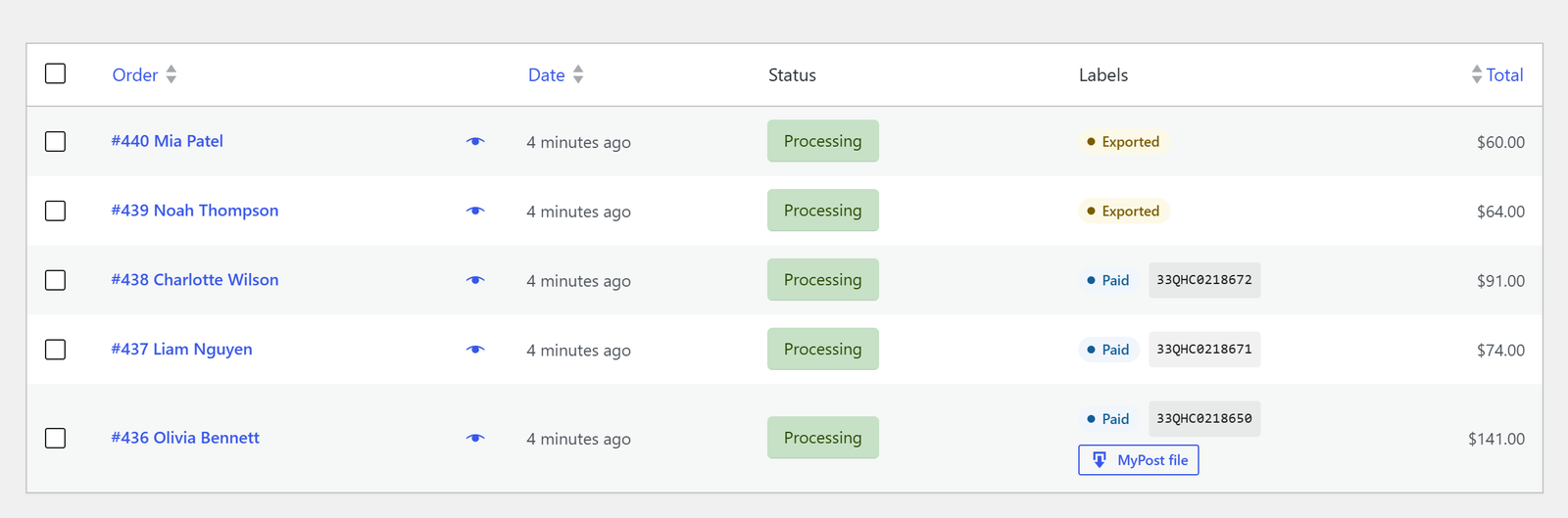
See what's exported, what's paid for and each tracking number without opening a single order.
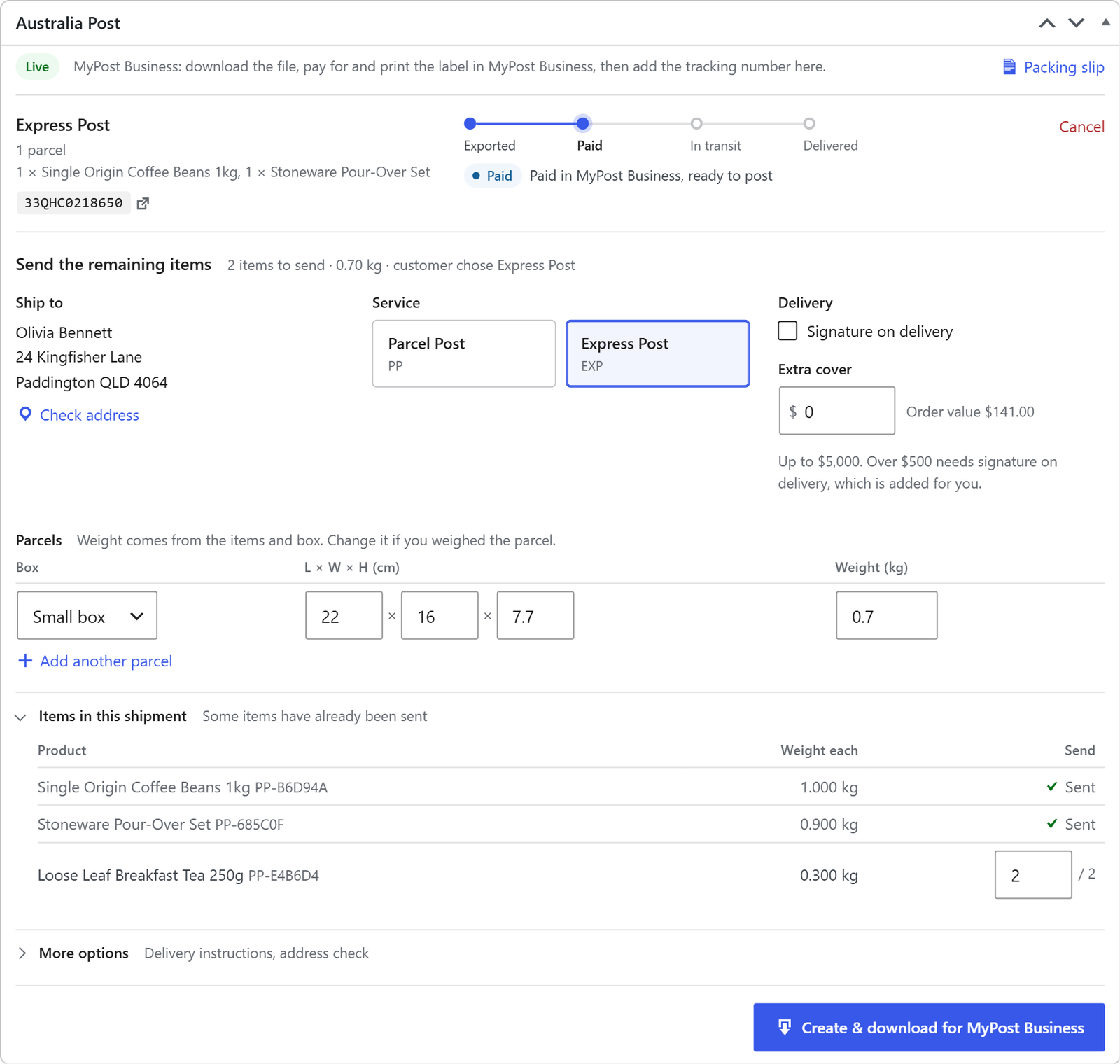
Choose which items, and how many, go in each shipment. Send the rest later.
Up to 20 parcels in one shipment
Parcel Pilot reads the shipping method your customer chose at checkout.
Service, box, weight, items and progress in one panel, from Exported to Delivered.
Postage goes on your Australia Post account when you lodge. Included in the free version.
eParcel needs an Australia Post contract and Shipping & Tracking API keys. Australia Post issues test keys first.
Everything on this page is in the free version.
Available now
In the works
No. Choose "MyPost Business, pay per label" and you pay for each label in your own MyPost Business account. You only need an eParcel contract if you want postage billed to an Australia Post credit account.
Australia Post only lets its approved eCommerce partners buy MyPost Business labels from other software. The import file is Australia Post's own supported way to bring orders into MyPost Business, so you keep paying per label on your own account. Buying labels in the background is what Pro is for.
Not yet. Parcel Pilot creates Australian shipments only and won't take an order with an overseas shipping address.
Click Cancel on the shipment in the order. If it's already in MyPost Business, delete it there too; a label you've paid for can be refunded in MyPost Business. eParcel shipments can be cancelled until they're lodged.
No. It only runs on the order screens and its own pages, plus an hourly tracking check for eParcel. Nothing loads on your shop front except the tracking block in the customer's account.
Settings are always removed. Shipment records, tracking numbers and saved label PDFs stay unless you tick "When deleted" under Settings, Troubleshooting.
In WordPress, go to Plugins, Add New, Upload Plugin, choose parcel-pilot-1.1.0.zip and activate it. Then click "Set up labels" in the notice, fill in Ship from and Packaging, and leave Mode on Demo while you try it.
Demo mode lets you run the whole thing before a single customer is emailed.